Article
Author-it launches Author-it MCP for customers' own AI assistants

FOR IMMEDIATE RELEASE
Author-it lets enterprises put their own AI to work inside their documentation, with the guardrails built in
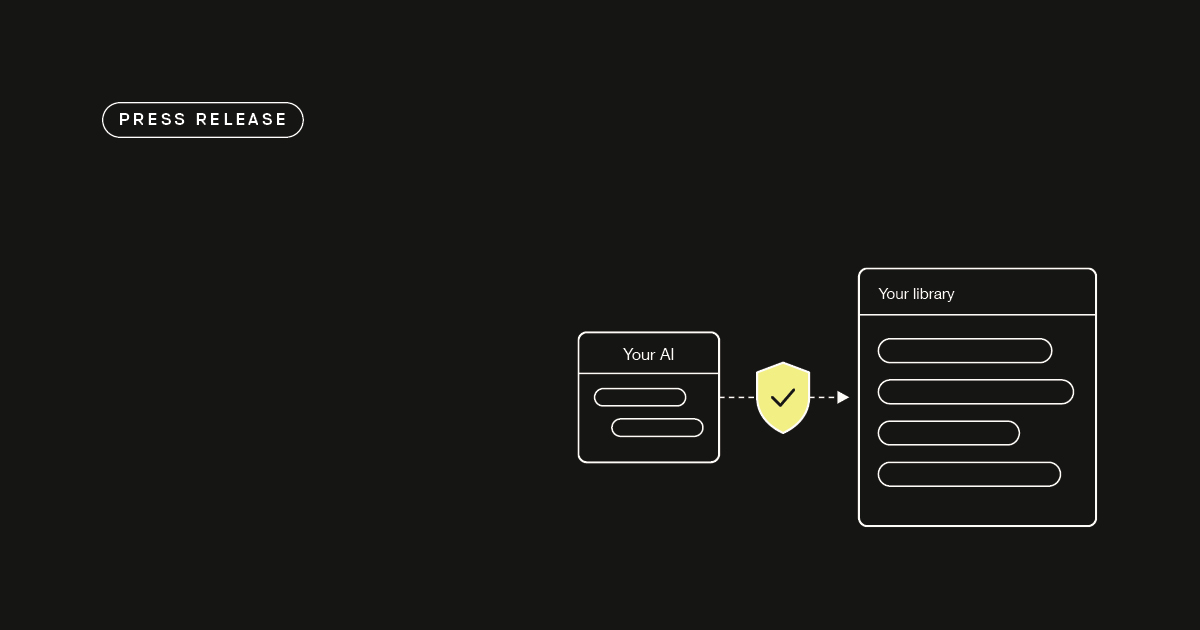
Author-it MCP, new in the 2026.R4 release, connects an organisation's approved AI assistant to its Author-it Cloud library. The AI works with the user's own permissions, asks before it changes anything, and cannot publish or delete.
Wellington, New Zealand | 23 November 2026
Author-it, the component content management system (CCMS) used by documentation teams in manufacturing, software and utilities, has released Author-it MCP. It lets an organisation's own AI assistant work directly in its Author-it Cloud library, in plain language: finding and reading content, checking it against the house style guide, drafting new and updated topics, and handling translation jobs. Author-it MCP is available to Author-it Cloud customers from the 2026.R4 release, which began rolling out on 22 November.
MCP, the Model Context Protocol, is the open standard for connecting AI assistants to business systems. Author-it MCP supports Claude today, with other assistants, including ChatGPT and Microsoft Copilot, to follow.
"Companies are investing heavily in AI, and many of their projects stall on the same problem: the AI has no trusted, current knowledge to work from," said Vikram Arumilli, CEO of Author-it. "Our customers have spent years building exactly that in Author-it. Author-it MCP lets their AI work directly with that approved, structured content, inside the controls they already rely on. That's where real returns from AI start."
Your AI, not ours
Documentation teams are under pressure to use AI, but most organisations now approve one or two assistants and block the rest. Rather than build its own assistant into the product, Author-it has opened its library to the one a customer already uses. Customers bring their own AI and their own AI plan, and nothing connects to their library unless a user chooses to connect it.
"Every content team I talk to has had the same memo from above: use AI. Then security adds, 'but only this one,'" said Adrian Winks, Chief Customer Officer at Author-it. "So we were never going to bolt our own chatbot onto Author-it and ask you to trust yet another AI. It's your AI, not ours, and we're not in the business of selling AI models. We've opened the library up to the assistant you've already approved, and left the controls in your hands."
What it does
At two launch webinars on 17 November, Author-it's product team showed seven jobs done by Claude in a live Author-it library: reviewing topics against a style guide, building index keywords, filling gaps in a glossary, writing alt text for images, turning repeated passages into reusable topics, translating a translation job while keeping every element and ID intact, and drafting troubleshooting topics from support tickets. Once a prompt works, it can be saved as a reusable skill, so a job that took a day becomes a one-line request.
The MCP section of the webinar, with all seven jobs, is on YouTube: Author-it MCP: Claude working in your Author-it library.
The assistant works on the live library, not a copy. It imports changed and new topics itself after the user approves, and writes other objects, such as index entries or variables, as a file the user imports in Author-it.
Guardrails first
Every request runs as the signed-in user, with exactly that person's permissions, in the one library they logged in to. Reading runs without interruption, but anything that changes content asks for approval first. Before an import, Author-it checks the whole file and imports nothing if any check fails. The assistant cannot publish and cannot delete, and every change it makes is recorded in the object's history with the previous version kept.
Administrators can restrict an assistant to specific parts of the library. For teams that must show which changes were made by AI, for example under the EU AI Act, Author-it recommends a dedicated release state for AI-edited work, or a separate Author-it user account for the assistant, so the audit trail says so. Access can be revoked at any time from Author-it Cloud's settings.
The launch webinar showed these controls working. Claude rewrote six topics against a style guide, then stopped because the topics were in a release state its user could not edit, and said so. Once the state was changed, it saved the work.
"Each person's AI assistant works with their permissions and nothing more," said Winks. "You decide what it can change using the release states and workflow you already run, so there's nothing new to learn, and you can fence it into one corner of the library if you want. Teams don't just want AI to be safe. They want to be in charge of it and see exactly what it's changed."
What it means for customers
For documentation teams, the first gains are in the work that rarely gets done by hand: alt text across thousands of images, glossary and index upkeep, consistency reviews and the clean-up of duplicated content. These jobs matter more now that AI systems read and answer from published documentation.
Author-it records around a dozen pieces of metadata on every object from the moment it is created, including who created it, when, and how it relates to other content. The assistant works inside that structure rather than around it.
"The minute knowledge lands in Author-it, it picks up a dozen or so pieces of metadata without anyone lifting a finger," said Winks. "Many AI knowledge projects pour everything into one big blob, then spend months trying to stitch the context and meaning back in. We'd much rather it's built in from the start, deliberately and under your control. So your AI teammate already knows what each piece is, who it's for and whether it's approved, instead of guessing."
"I never thought I'd say this out loud, but indexes and glossaries are making a comeback," he added. "Once AI is reading your content, it's the unglamorous parts that keep the answers accurate, and they're exactly the parts teams have had less and less time to keep up. We're learning alongside our customers, and a solid foundation means we can act quickly on what they find. So push it hard, and tell us what it should do next."
Availability
Author-it MCP is available to Author-it Cloud customers from 2026.R4. For a limited time, MCP is included at no extra cost. This introductory period runs until the 2027.R1 release. MCP will become a paid feature after that, and Author-it will confirm pricing with 2027.R1. Customers can turn it on or off at any time and stop before 2027.R1 with no charge and no commitment. Setup, safe-use guidance and example prompts are in the Author-it Cloud AI-Assisted Authoring Guide, available to customers.
Author-it 2026.R4 also adds a single search-and-insert window for topics, files, hyperlinks and variables, publishing to Markdown, right-to-left language support and a refreshed interface.
More at author-it.com/ai/mcp.
About Author-it
Author-it is an enterprise component content management system (CCMS) and the AI content foundation for regulated industries. Founded in 1999, led by CEO Vikram Arumilli and trusted by global organisations in manufacturing, software, and utilities, Author-it enables teams to create, manage, review, translate, and publish structured content at scale, and to publish that same content as AI-ready JSON via AION, its native output format for LLMs and RAG pipelines. Learn more at author-it.com.
Media contact: Ben Harris, marketing@author-it.com
Website: author-it.com
Demo: author-it.com/contact

Press release FAQ
What is Author-it MCP?
Author-it MCP connects an organisation's own AI assistant to its Author-it Cloud library using the Model Context Protocol, the open standard for connecting AI assistants to business systems. The assistant can find and read content, check it against a style guide, draft new and updated topics and handle translation jobs, in plain language, on the live library.
Which AI assistants work with Author-it MCP?
Claude is supported today. Other assistants, including ChatGPT and Microsoft Copilot, are to follow. Because MCP is an open standard, any MCP-capable assistant can connect in principle. Customers use their own AI plan; Author-it does not supply the AI model.
What can't the AI do in Author-it?
It cannot publish and it cannot delete. It works with exactly the permissions of the signed-in user, in the one library they logged in to, and anything that changes content asks for approval first. Before an import, Author-it checks the whole file and imports nothing if any check fails.
How are changes made by AI tracked?
Every change is recorded in the object's history with the previous version kept, under the user who made the request. Teams that must label AI-made changes, for example under the EU AI Act, can use a dedicated release state for AI-edited work or a separate Author-it user account for the assistant, so the audit trail shows it.
How much does Author-it MCP cost?
Author-it MCP is available to Author-it Cloud customers from 2026.R4. For a limited time, MCP is included at no extra cost. This introductory period runs until the 2027.R1 release. MCP will become a paid feature after that, and Author-it will confirm pricing with 2027.R1.
What did the launch webinar show?
Seven jobs done by Claude in a live Author-it library: a style guide review, index keywords, glossary gaps, alt text for images, turning repeated passages into reusable topics, translating a translation job, and drafting troubleshooting topics from support tickets. The MCP section is on YouTube as Author-it MCP: Claude Working in Your Author-it Library, and the full recording is on the 2026.R4 release webinar page.
Who should media contact about this announcement?
Ben Harris, marketing@author-it.com. Interviews with Adrian Winks, Chief Customer Officer, plus screenshots and demo clips, are available on request.
Published on:
Author:
November 23, 2026
Adrian Winks
Chief Customer Officer
Related Resources
Article
Author-it launches Author-it MCP for customers' own AI assistants
Author-it MCP brings a team's own AI assistant into their Author-it Cloud library: your AI, your permissions, your approval, and no publishing or deleting.

Article
Content design for AI agents: your content is an interface
Once an AI agent can query your library, titles become search, metadata becomes filters and folders become navigation. Here is how to design for it.
Article
Author-it releases interactive AI grounding demonstration
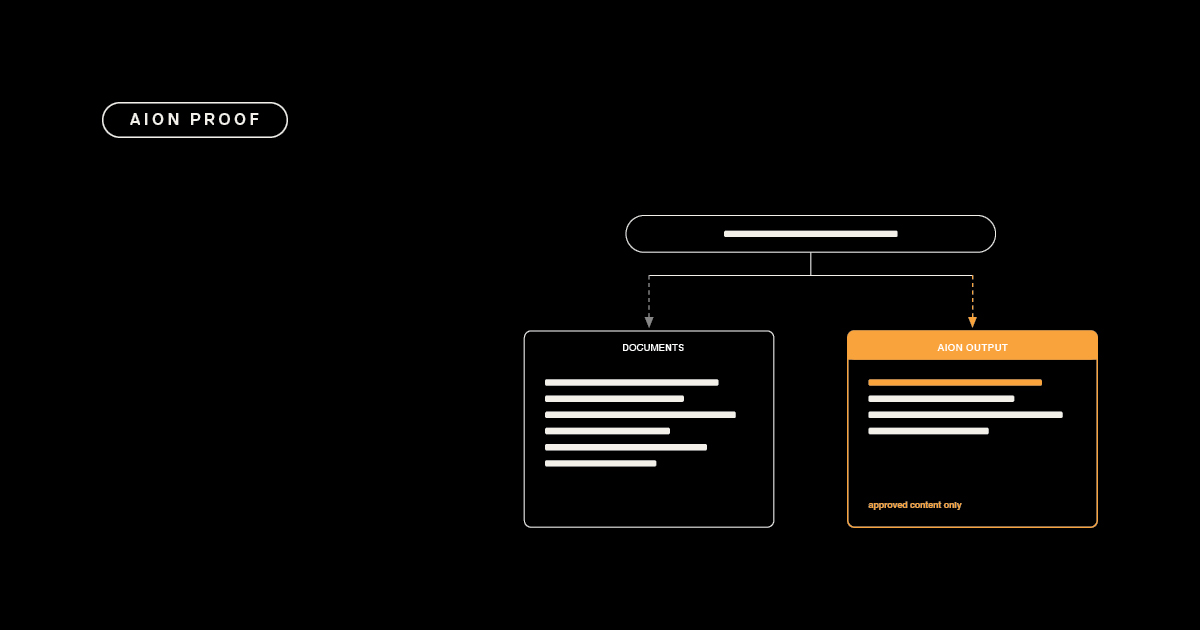
Same question, two sources: why ungoverned documents give an AI three answers and governed content gives it one, with its source attached.