Article
How to manage product documentation that keeps growing

Summary:
If your product documentation keeps drifting out of date, lives in a dozen slightly different copies, and takes weeks to update after a single product change, the problem is not your team - it is that ordinary document tools were never built to manage information at scale. The fix is to keep one master version of each piece of content, reuse it everywhere it is needed, and publish to every format from that single source. This guide explains how to manage product documentation that way in plain terms - and names the category of software built to do it, so you know what to search for next.
The signs your documentation has outgrown your tools
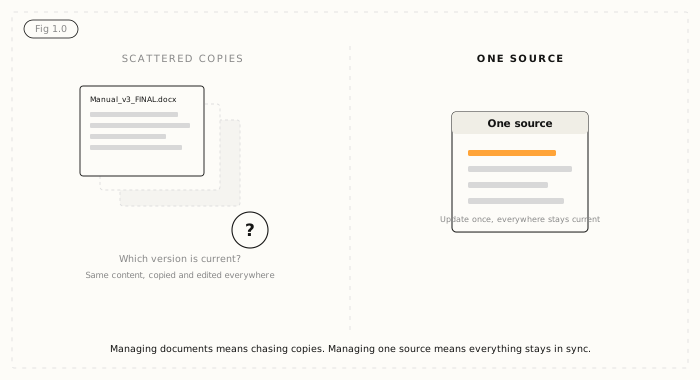
Most teams do not decide to fix their documentation - they hit a breaking point. See how many of these feel familiar.
You are not sure which version is the current one. The same content exists in a Word file, a shared drive, a help site, and someone's inbox, and they no longer match. A single product change - a renamed part, a new safety step - means hunting down every place it appears and editing each one by hand. Translations get redone from scratch every time, even for content that has not changed. And when someone asks "where is the latest version?", the honest answer is a shrug.
None of this is a discipline problem. It is what happens when the amount of documentation outgrows tools designed to write single documents, one page at a time.
Why documentation gets out of date in the first place
Documentation drifts because most tools manage documents, not content. A document is a whole file - a manual, a guide, a PDF. When the same warning or procedure appears in ten documents, you have ten copies to keep in sync by hand. Miss one and it is instantly wrong.
The alternative is to manage content as small, reusable pieces instead of whole files. Write a safety warning once, and every manual that uses it points to that single version. Update it in one place and every document updates with it. This is the difference between unstructured content, which lives trapped inside individual files, and structured content, which is stored once and reused. If that distinction is new, our explainer on structured versus unstructured content is worth a read.
What managing documentation well actually looks like
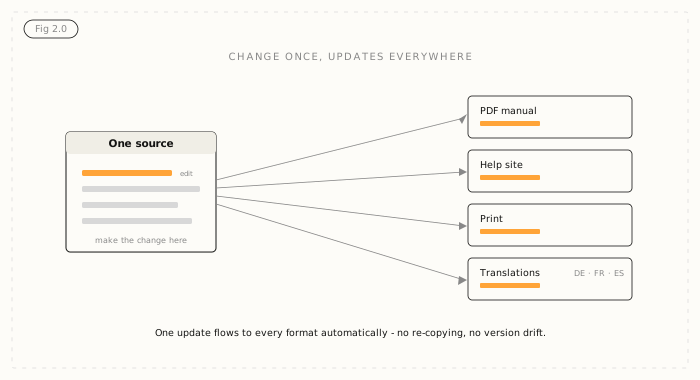
Good documentation management comes down to one idea: a single source of truth. Everything you publish traces back to one master version of each piece of content, so nothing is ever copied and left to rot.
In practice that means a few things working together. You write each piece of content once and reuse it wherever it belongs, instead of copying and pasting. You publish from that one source to every format you need - a PDF manual, an online help site, a print version, a training course - without rebuilding each one. Changes go through a clear review and approval step before they are published, so nothing unchecked goes out. And when content is translated, only the parts that actually changed get sent for translation, not the entire document again.
The payoff is quiet but large: your documentation is always current, you stop paying to recreate the same content, and one change takes minutes instead of weeks.
There is a name for this: component content management
The kind of software built to do all this is called a Component Content Management System, usually shortened to CCMS. "Component" is the key word - it manages content as reusable components rather than whole documents, which is exactly what makes single-source publishing and reuse possible.
It is a different category from the tools most teams start with. Word and Google Docs are built for writing individual documents. Wikis and knowledge bases are built for publishing pages. A CCMS is built for managing information you reuse across many products, formats, and languages - the problem this guide has been describing. If you want the full picture, here is a plain-language explainer on what a CCMS is and how it works.
There is a forward-looking reason to care too. Any AI tool you point at your documentation - a support assistant, a search bot - is only as accurate as the content behind it. Structured, single-source content gives those tools clean, current information to work from, where scattered files give them contradictions. Getting your documentation in order now pays off twice.
How to tell if you are ready to make the change
You do not need to be a huge enterprise to outgrow document tools - you need enough content, reused in enough places, that keeping it in sync by hand has become a job in itself. A few honest signals: you maintain the same content in more than one place, you publish to more than one format, you translate into more than one language, or a single change routinely triggers days of downstream edits.
If two or more of those are true, you are likely paying the cost of not having a proper system already - just in time and rework rather than a line item. Teams moving off Word, Google Docs, or a wiki almost always say they wish they had done it sooner. A quick way to gauge where you stand is the Structured Content Challenge, which shows how ready your current content really is.
Where Author-it fits
Author-it is a Component Content Management System that has helped organisations manage documentation this way for more than 25 years, across manufacturing, software, and utilities. It keeps every piece of content in one source, lets teams reuse and publish it to any format, and runs changes through built-in review and approval - so documentation stays accurate as it grows, and stays ready for whatever you publish to next, including AI.
If the problems at the top of this guide sounded familiar, the good news is they are solvable, and the category of tool that solves them now has a name you can search for.

Documentation FAQ
Q: Why does our product documentation keep getting out of date?
A: Documentation drifts out of date when the same content is copied into many separate documents that then have to be updated by hand. Most document tools manage whole files rather than reusable content, so one product change means editing every copy individually and missing some. Storing each piece of content once and reusing it everywhere means a single update keeps every document current automatically.
Q: What is the best way to manage documentation across multiple products or versions?
A: The best approach is to keep a single master version of each piece of content and reuse it across products and versions, rather than maintaining separate copies. Content that applies to several products lives in one place, and product-specific differences are handled as variations of that source. This keeps everything consistent and means an update flows to every product and version at once instead of being redone for each.
Q: How do I keep documentation up to date across versions?
A: Keep one source of truth for each piece of content, publish every version and format from that source, and route changes through a review step before they go live. When content is stored and reused rather than copied, updating it in one place updates every version that uses it. This removes the manual work of tracking down and editing individual copies, which is where most version drift comes from.
Q: What is a single source of truth for documentation?
A: A single source of truth means every document you publish traces back to one master version of each piece of content, rather than to scattered copies. You edit content in that one place, and every output - PDF, help site, print, training - reflects the change. It is the core principle behind reliable documentation, because nothing is ever left as an outdated duplicate.
Q: When should we move off Word, Google Docs, or a wiki for documentation?
A: Consider moving when you maintain the same content in more than one place, publish to more than one format, translate into more than one language, or find that a single change triggers days of downstream edits. Document tools and wikis are built for writing individual documents and pages, not for managing reused content at scale. Once keeping content in sync becomes a job in itself, a purpose-built system usually pays for itself in saved time.
Q: What is a CCMS?
A: A CCMS, or Component Content Management System, is software built to manage documentation as small, reusable components rather than whole documents. You write each piece of content once, reuse it wherever it is needed, and publish to multiple formats and languages from that single source. It is the category of tool designed for organisations whose documentation has outgrown Word, Google Docs, or a wiki.
Q: How do I stop recreating the same documentation over and over?
A: Store each piece of content once and reuse it everywhere it is needed, instead of copying and pasting between documents. When a warning, procedure, or specification lives in a single source, every document that needs it points to that version rather than holding its own copy. This is called content reuse, and organisations with high reuse spend their time writing new content instead of recreating what already exists.
Q: How do I manage documentation for translation without redoing everything?
A: Use a system that tracks which content has changed and sends only the new or changed parts for translation. When content is stored as reusable components, unchanged pieces keep their existing translations and are not paid for again. Teams with high content reuse commonly cut translation costs significantly this way, because they stop translating the same unchanged material for every update.
Published on:
Author:
July 8, 2026
Jamie Simmonds
Documentation Manager
Related Resources
Article
Author-it releases interactive AI grounding demonstration
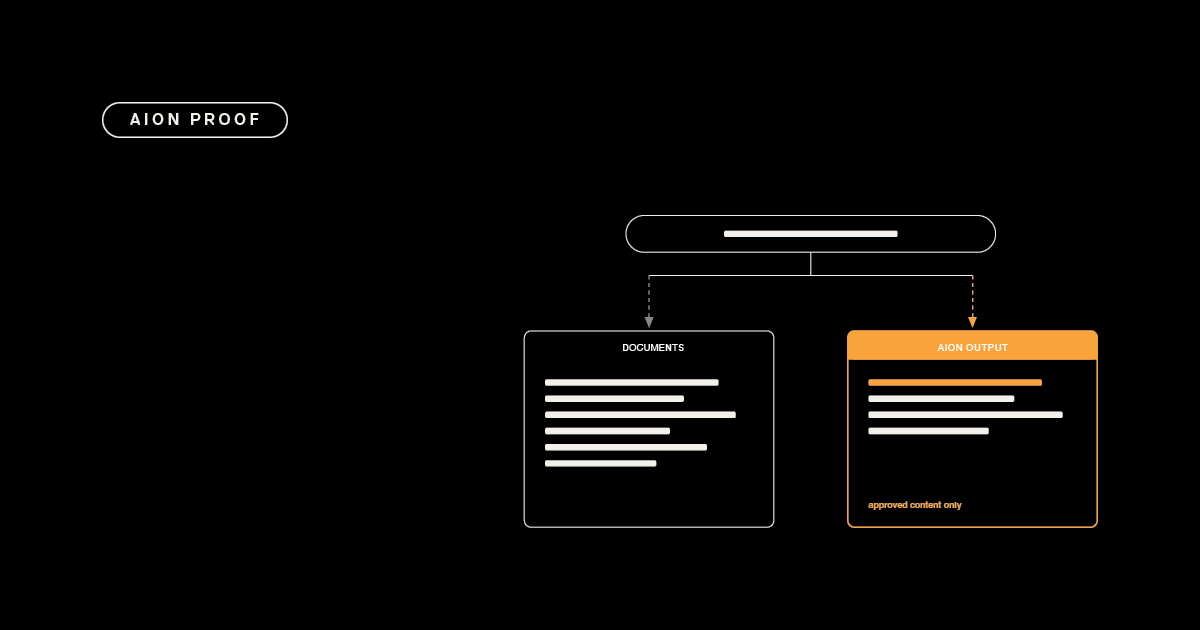
Same question, two sources: why ungoverned documents give an AI three answers and governed content gives it one, with its source attached.

Article
The real cost of DITA - and when you don't need it
The cost of DITA is mostly staffing and process. Here is where it hides - and how to get topic reuse and single-source publishing without XML.
Article
AI content delivery: own your output, not a hub
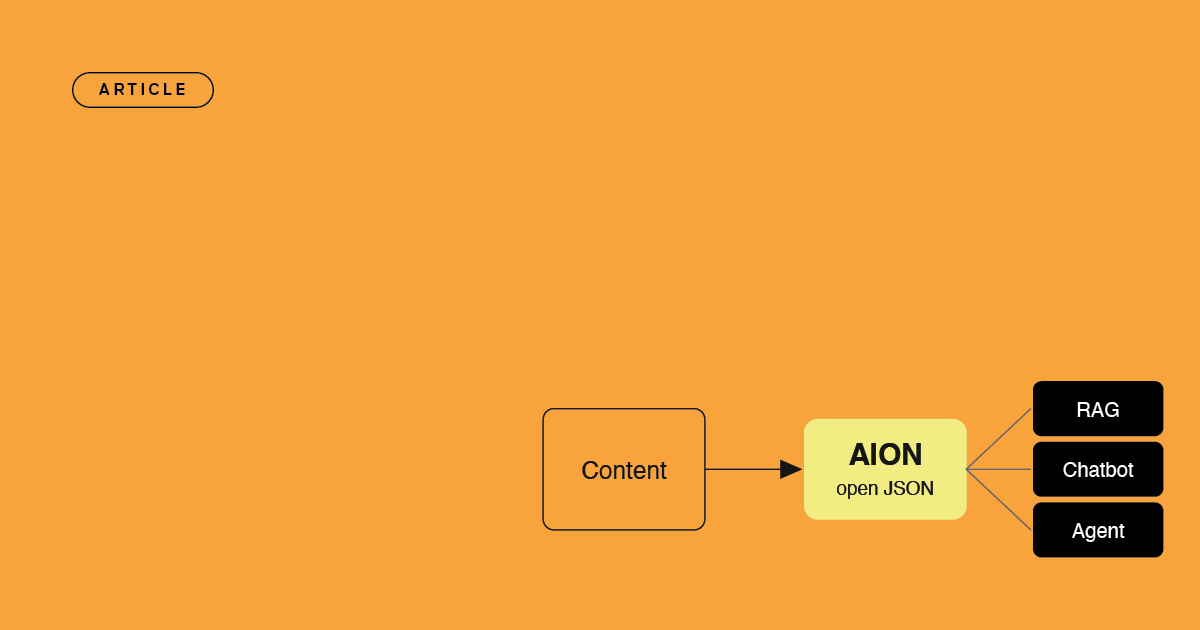
The difference between renting an AI delivery hub and owning your content as open, portable JSON that feeds any AI stack you build or buy.