Article
When Google Docs stops scaling: the case for a CCMS

Summary:
Google Docs is a great collaboration tool. It is not a documentation system. When teams grow past a handful of writers and a handful of products, the cracks become craters - version confusion, duplicated content, manual reformatting, and no audit trail. A component content management system (CCMS) solves all of this by giving content a structure, a single source, and a governed lifecycle. The switch is simpler than most teams expect, and the ROI shows up fast.
The problem with Google Docs is not Google Docs
Google Docs is genuinely good at what it does. Real-time collaboration, accessible anywhere, zero setup - for small teams producing one-off documents, it is hard to beat.
The problem is documentation is not one-off. It is ongoing. It grows. It repeats. And when a product update lands, the same change needs to ripple across every guide, every manual, every help article that references it.
In Google Docs, that means hunting every file, making the same edit in ten places, and hoping you did not miss one. At two writers, it is manageable. At four, it is a weekly headache. At six, it is a full-time job.
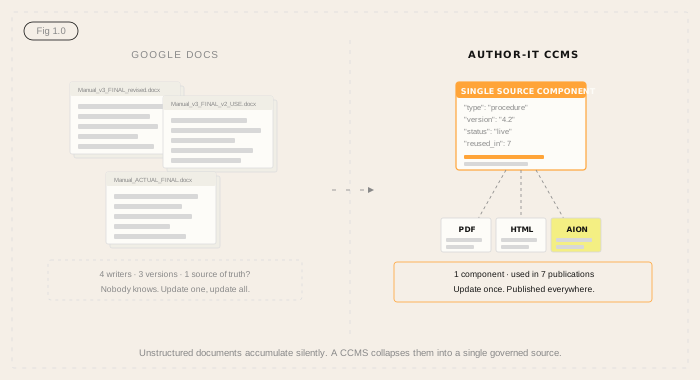
What is actually eating your team's time
Most teams underestimate the overhead because it is invisible. Nobody logs a Jira ticket called "reformatted the same table for the fourth time this month." It just happens, quietly, every week.
Here is a rough breakdown of where writer time goes in a Google Docs-based documentation environment:
- Manual updates - finding and editing every instance of a changed procedure, warning, or spec across all documents. In some teams, a single product change triggers edits across 15 or 20 files.
- Version control - figuring out which file is current. Is it the one called FINAL, FINAL_v2, or FINAL_USE_THIS? This is not a joke - it is one of the most common things new CCMS customers mention on day one.
- Reformatting - rebuilding the same content into different formats. The same procedure lives in a PDF manual, an HTML help article, and a slide deck - three separate files, maintained separately, drifting apart.
- Translation preparation - cleaning up inconsistent formatting and duplicated content before it can go to a translator. Unstructured documents cost significantly more to localise than structured ones.
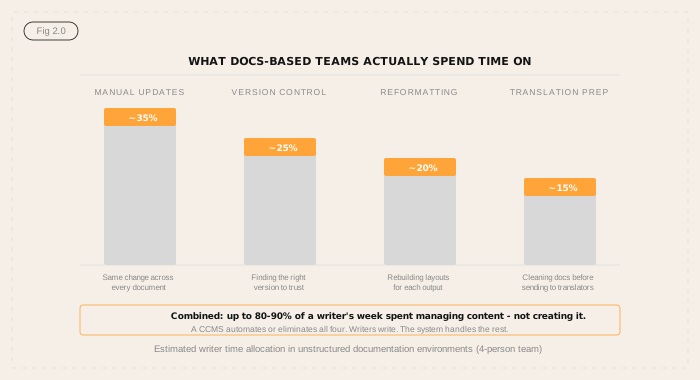
These are not edge cases. They are the default experience for documentation teams running on unstructured tools at scale.
What a CCMS actually does differently
A component content management system (CCMS) treats content as a collection of reusable components - individual topics, procedures, warnings, specifications - rather than as whole documents.
Each component lives in one place. When it changes, it changes once, and the update flows automatically to every publication that uses it. You do not find and replace. You fix the source.
In practice, this means:
- A safety warning updated in one component updates in 40 manuals simultaneously
- A product spec corrected at the source is correct in the PDF, the HTML help portal, and the internal knowledge base - at the same time
- A writer checking a published manual can see exactly which version of every component is in it, and who approved it
This is single-source publishing. It is the core principle behind every serious documentation system, and it is what makes a CCMS categorically different from a shared folder of Google Docs.
The cost conversation: what CCMS actually costs
When documentation teams start evaluating CCMS options, pricing is often the first shock. Some platforms quote $60,000 or more for a small team of four writers - a number that can stop the conversation before it starts.
That reaction is fair. But it is worth understanding how those numbers are built, because not all CCMS pricing works the same way.
Some platforms advertise a competitive base price, then charge separately for the features most documentation teams actually need - translation management, content variables, conditional publishing, and similar capabilities. A base subscription that looks reasonable on the pricing page can look very different once you add the modules your team requires. For teams that need translation workflows or content variants across product lines, those add-ons add up fast.
Author-it takes a different approach. Translation, variables, conditional publishing, review workflows, and multi-format output are included in the subscription - not gated behind separate module fees. The price you see is the price for the platform your team will actually use.
What also tends to get overlooked is the cost of not switching. Writer time spent on manual updates, version reconciliation, and reformatting is real cost - it is just untracked. If each of your four writers spends 30-40% of their week on overhead that a CCMS would eliminate, you are already paying for that CCMS, just in salary.
The right comparison is not licence cost versus licence cost. It is total cost of operation - including the features you need, the time you recover, and the content architecture you are building for the next five years.
Content reuse rates of 60-90% and translation cost reductions of 30-50% are the norm for teams that move to structured authoring. A content architecture that does not need to be rebuilt when your team or product line grows is the longer-term return.
The AI angle: structured content is the foundation your AI strategy needs
There is a new reason to think about this that did not exist three years ago.
Every AI initiative that touches your organisation's content - a support chatbot, a product knowledge assistant, a RAG pipeline feeding your internal tools - needs structured, governed, metadata-rich content to work accurately. It needs to know which version of a procedure is current. It needs to be able to cite the right source. It needs content that is organised, not just stored.
Google Docs folders are not that. A CCMS is.
Author-it's AION format goes a step further - publishing structured JSON output that is natively readable by LLMs, RAG pipelines, and AI agents. Your documentation becomes the AI content foundation your organisation can build on, rather than a pile of unstructured files that an AI will hallucinate over.
Teams moving to a CCMS now are not just solving a documentation problem. They are building the content infrastructure their AI strategy will depend on.
What migration actually looks like
The most common objection to moving off Google Docs is the migration. It sounds painful. It probably is not - or at least, not as painful as people expect.
The typical Author-it migration process works in phases:
- Information architecture - working out what content you have, what structure it needs, and how components map to your documentation library. This is the work that makes everything else simpler.
- Content migration - moving existing documents into the CCMS. Most migrations complete within the first 90 days of the engagement.
- Team onboarding - training writers on structured authoring. Author-it is designed to be used without XML or DITA knowledge, which removes one of the biggest barriers to CCMS adoption.
- Publishing setup - configuring outputs for PDF, HTML, and any other channels your team publishes to.
Author-it's services team has migrated content from Google Docs, Word, SharePoint, Confluence, FrameMaker, and a wide range of legacy systems. They have seen most scenarios. The migration is scoped, planned, and supported - not a lift-and-shift left to the customer.
Most teams tell us they wished they had moved sooner.
Is it the right time to move?
If you are asking whether you need a CCMS, the honest answer is: probably yes, and probably sooner than you think.
The tipping point for most teams is somewhere between three and six writers, two or more products, and any kind of compliance or localisation requirement. If you are past that point and still running on Google Docs, you are managing complexity manually - and that complexity compounds as the team grows.
The question is not whether a CCMS is better for your team. It almost certainly is. The question is which one fits your environment, your budget, and your content type - and whether the platform you are evaluating is pricing the full feature set you actually need.
Want the short version? Download our two-page overview - it covers the six reasons teams move, what to check before you choose a CCMS, and how Author-it's pricing compares to the modular alternatives. No form, no gate.
If you want to talk through your specific situation - team size, content volume, AI plans, compliance requirements - Author-it's team is easy to reach. No sales script, no pressure. Just a conversation about whether it makes sense.

CCMS FAQ
Q: What is a CCMS and how is it different from Google Docs?
A: A CCMS (component content management system) manages content as reusable components - individual topics, procedures, and sections - stored in a single source. Unlike Google Docs, where each document is a separate file, a CCMS publishes the same content to multiple outputs from one governed source. Update a component once, and every publication that uses it updates automatically.
Q: How much does a CCMS cost?
A: CCMS pricing varies significantly by vendor and team size. Some platforms in the market quote upwards of $60,000 per year for small teams of four writers. Author-it operates on a per-user subscription model, which is substantially more accessible. The right comparison is not just the licence cost - it is licence cost versus the documented overhead of running without one.
Q: How long does it take to migrate from Google Docs to a CCMS?
A: Most Author-it migrations complete within 90 days of project start. The timeline depends on content volume and complexity, not just file count. Author-it's services team scopes and manages the migration - it is not a self-service lift-and-shift.
Q: Does a CCMS require DITA or XML knowledge?
A: No. Author-it is built for structured authoring without requiring DITA or XML expertise. Writers work in a familiar interface - the system handles the structure. This is one of the main reasons teams choose Author-it over DITA-based platforms that require specialist training.
Q: Can a CCMS help with AI and RAG pipelines?
A: Yes - and this is increasingly a core reason organisations move to a CCMS. AI tools, RAG pipelines, and internal knowledge assistants all perform significantly better when fed structured, governed, metadata-rich content. Author-it's AION format publishes structured JSON output that is natively readable by LLMs and AI agents - making your documentation the AI content foundation your organisation needs.
Q: What is single-source publishing?
A: Single-source publishing means writing content once and publishing it to multiple outputs - PDF, HTML, in-app help, and others - from the same source. There is no reformatting, no copy-paste between documents, and no risk of outputs drifting out of sync. It is the core principle behind CCMS architecture.
Q: Is a small team too small for a CCMS?
A: No. Some of Author-it's most effective deployments are teams of three to five writers. A small team with the right system consistently outperforms a larger team fighting manual processes. Author-it scales from small teams to large enterprise environments without requiring re-platforming.
Published on:
Author:
May 18, 2026
Quinn Wright
Head of Sales
Related Resources

Article
Content lock-in: the exit tax nobody budgets for
The cost of leaving a content platform rarely makes the business case - until you try to switch. Here is the exit tax, and how open output removes it.
Article
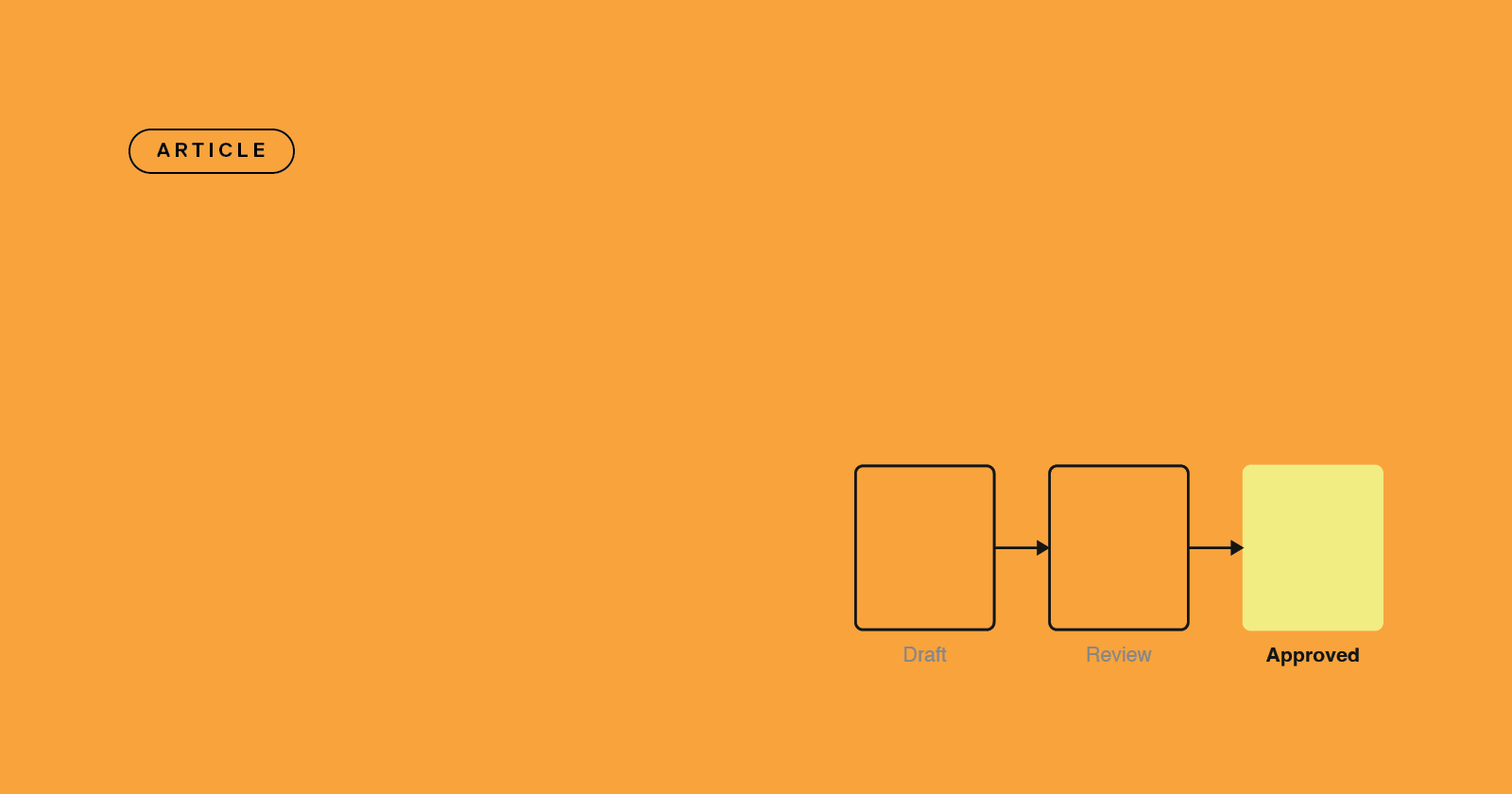
Audit-ready compliance docs for HVAC manufacturers
HVAC compliance documentation - UL 60335-2-40, CE, AHRI, F-Gas - stays audit-ready through controlled versions and a provable approval trail.
Article
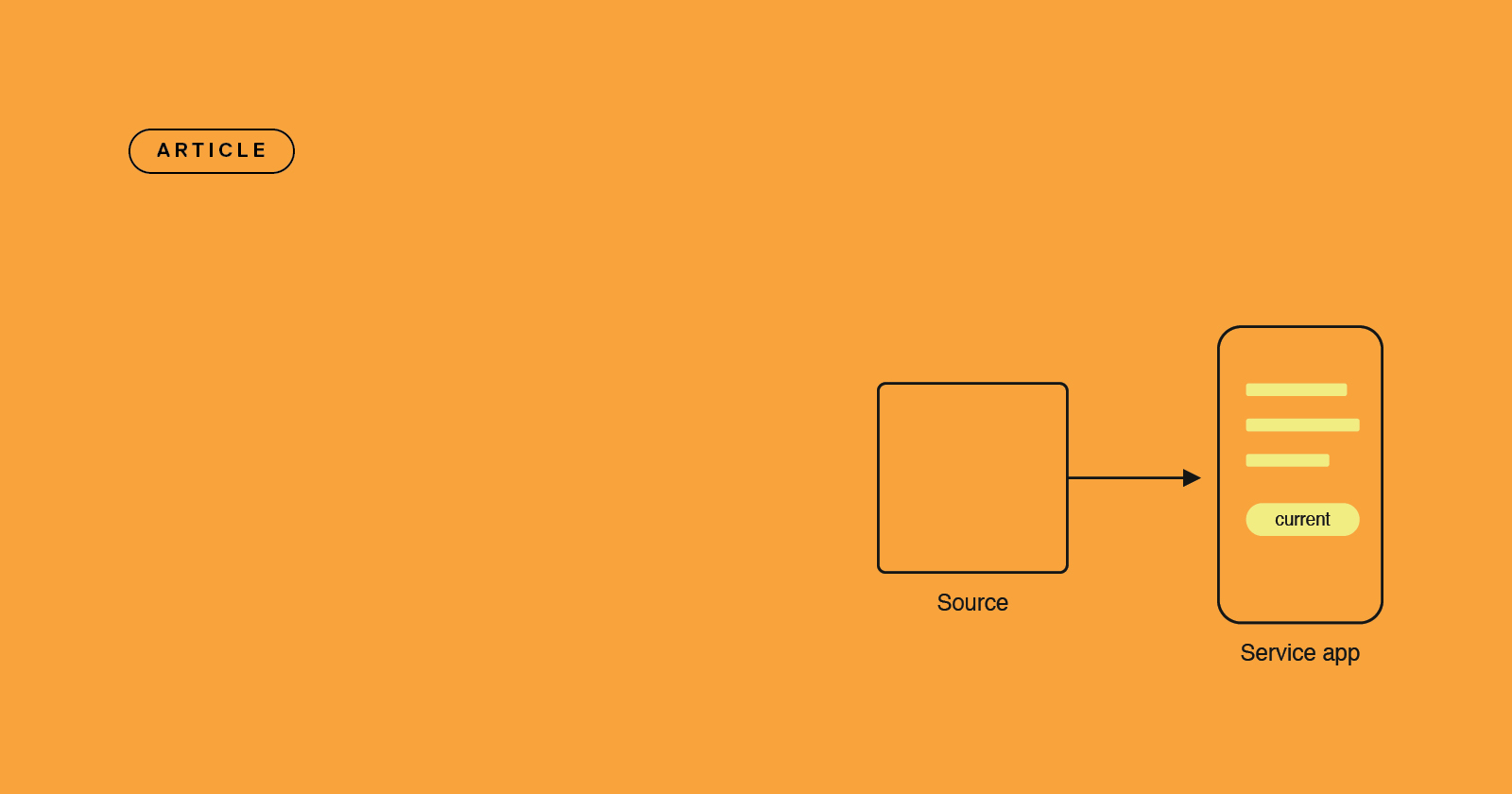
Why HVAC field techs get outdated manuals
HVAC field service documentation that's published once and never updated drives callbacks - here's how single-source publishing keeps techs on the current version.