Article
What Is a CCMS? Component Content Management Explained

Summary:
A CCMS is a system that manages content as reusable components instead of documents. Teams use it to eliminate duplication, improve accuracy, and publish to multiple formats from a single source. Author‑it provides CCMS capabilities with structure, governance, and reuse - without requiring authors to learn XML or DITA.
Before we dig in: if you want to feel why structured content matters in 90 seconds, take the Structured Content Challenge.
Component Content Management System Explained
A component content management system (CCMS) is a content management system that manages content at a granular level-components-rather than at the document level. Think individual paragraphs, procedure steps, and warning statements stored as independent objects, ready to be assembled into whatever deliverable you're building.
This approach solves the duplication problem that plagues most documentation teams: the same content living in dozens of places, drifting apart with every update. Below, we'll cover how a CCMS works, what distinguishes it from a traditional CMS, how to build a business case for one, and how to tell if your team has outgrown your current tools.
What Is a CCMS
A component content management system (CCMS) is a content management system that manages content at a granular level-components-rather than at the document level. Instead of storing entire documents, a CCMS stores individual pieces of content: a warning statement, a procedure step, a product description, a troubleshooting tip. Each piece exists independently, ready to be assembled into whatever deliverable you're creating.
Why does that matter? Because most organizations don't have a content problem-they have a duplication problem. The same safety warning lives in twelve different documents. The same installation steps appear in a user guide, a quick-start card, and an online help system. When something changes, someone has to track down every instance and update it manually. Or they don't, and the content drifts apart.
A CCMS solves that by treating content as building blocks rather than finished documents. You write each block once, store it in one place, and pull it into as many outputs as you need. When the source changes, every output that uses it reflects the change automatically.
The "component" in CCMS is what makes it fundamentally different from the content management systems you might already know. You're not managing pages or files. You're managing reusable objects.
That same structure is increasingly what makes content usable by AI. Clean, governed, reusable components are exactly what large language models and retrieval systems need to answer accurately, which is why a CCMS is becoming the AI content foundation behind reliable enterprise AI.
CCMS vs CMS
You've probably used a CMS before-WordPress, Drupal, or something similar for managing a website. So what's the difference between a CMS and a CCMS?
A traditional CMS treats content as pages. You create a page, publish it, and if you want similar content somewhere else, you copy it. A CCMS, on the other hand, treats content as objects that exist independently of any single output. The content doesn't belong to a page-it belongs to your organization, and pages are just one way to deliver it.
The distinction matters most when you're managing content that appears in multiple places or formats. A CMS works well for a marketing blog where each post is unique. A CCMS works well when the same compliance statement appears in forty product manuals across six languages-and you can't afford for any of them to be wrong.
Curious what a CCMS would be worth on your own numbers? The ROI calculator runs on real customer benchmarks, not guesswork.
CCMS vs Docs-as-Code
Docs-as-code is an approach where documentation is written in plain text formats like Markdown, stored in Git repositories, and built using developer toolchains. It's gained traction with software teams who want documentation to live alongside their codebase and follow the same version control workflows as software development.
The two approaches aren't always in competition-but they serve different needs.
Docs-as-code works well for developer documentation where the audience and the authors overlap and content reuse is limited. A CCMS becomes the better fit when you're managing large volumes of structured content across multiple outputs, teams, and languages-especially in industries where compliance and traceability are non-negotiable.
How a CCMS Works
The mechanics are straightforward once you see the pattern. Authors create content once, store it as components, then assemble those components into outputs. Three concepts make this work: single-source authoring, component reuse, and multi-channel publishing.
Single-source authoring
Single source means exactly what it sounds like: one source of truth for each piece of content. Your content lives in one place, and every output pulls from that place.
No more hunting through folder structures wondering which version is current. No more "final_v2_REAL_final.docx" situations. The source is the source, and everyone works from it.
This approach also eliminates the coordination headaches that come with distributed content. When three people maintain three versions of the same procedure, you end up with three slightly different procedures. When everyone works from a single source, you end up with one procedure that's actually correct.
Component reuse
Here's where the efficiency becomes tangible. When you write a procedure step or a compliance statement, you store it once. Then you pull that same component into a user guide, a quick-start card, an online help topic, and a training module.
- One update, everywhere: Change the source component, and every deliverable that uses it reflects the change
- No tracking required: You're not hunting down twelve documents to make the same edit twelve times
- Consistency by design: The content can't drift apart because there's only one version
Some CCMS platforms even surface reuse opportunities automatically, identifying content that's similar to existing components and suggesting consolidation.
Multi-channel publishing
A CCMS publishes to multiple formats from the same content set. PDF manuals, HTML5 help systems, web documentation, eLearning modules, and increasingly AI-ready structured formats like AION-all generated from your single source.
This eliminates the manual rework that happens when you maintain separate files for each output format. You're not reformatting content for print, then reformatting it again for web, then reformatting it again for mobile. The system handles the formatting; you focus on the content.
Core CCMS Capabilities
Beyond the fundamentals, a CCMS platform typically offers a set of capabilities that support enterprise-scale content operations. Here's what most platforms provide.
Structured authoring
Structured authoring uses predefined templates and rules to enforce consistency. Authors work within guardrails that prevent formatting drift and ensure every component follows your standards.
Think of it like a form with required fields. The system knows what a procedure step looks like, what a warning statement contains, and what metadata each component carries. Authors fill in the content; the structure stays consistent.
Some platforms require deep XML or DITA expertise to achieve structured authoring. Others offer structure through templates and rules without requiring authors to learn markup languages. Author-it, for example, provides enterprise-grade structure without the DITA complexity-authors work in a familiar interface while the system enforces consistency behind the scenes.
Version control and audit trails
Every component gets tracked over time. You can see who changed what, when, and why. You can compare versions side by side. You can roll back to a previous version if something goes wrong.
For teams in regulated industries, this traceability isn't optional-with global non-compliance penalties reaching $14 billion in 2024, it's how you demonstrate compliance during audits. When a regulator asks for documentation history, you can produce it in minutes rather than days.
Translation and localization
Component-level translation changes the economics of multilingual content. With language services projected to be a $65.5 billion market in 2026, controlling translation costs is essential. Instead of translating entire documents (including content you've already translated before), you translate each component once.
When that component appears in a new deliverable, the translation comes with it. You're not paying to translate the same safety warning every time it appears in a new manual.
- Reduced translation volume: Only new or changed components go to translation
- Faster turnaround: Smaller translation batches move through the process more quickly
- Consistent terminology: The same component uses the same translation everywhere
Workflow and collaboration
Review cycles, approvals, and role-based permissions keep content moving through your process. Subject matter experts can review and comment without needing full authoring access. Reviewers see exactly what they're approving, with change tracking built in.
Real-time collaboration means your team isn't waiting for files to be checked in and out. Multiple authors can work on different components simultaneously without stepping on each other's work.
Publishing to any format
The outputs you can generate depend on your platform, but modern CCMS tools typically support HTML5, PDF, web, and eLearning formats at minimum. Some also support mobile apps, chatbot content, and API documentation.
The point is flexibility: your content adapts to the channel, not the other way around. You write once and publish to whatever formats your audience actually uses.
Who Uses a CCMS
CCMS adoption spans industries where accuracy, compliance, and scale intersect. The common thread is content that carries consequences-where errors create risk, inconsistency creates confusion, and manual processes can't keep pace with volume.
Manufacturing
Product manuals, safety procedures, and compliance documentation across product lines and regions. U.S. manufacturers face roughly $350 billion in annual compliance costs. When a safety warning changes, it changes everywhere-across every product, every language, every format. Manufacturing teams also deal with regulatory requirements that demand full traceability of documentation changes.
Software and technology
Release notes, API documentation, help content, and localization that keeps pace with rapid release cycles. Every product update triggers documentation updates, and a CCMS keeps that manageable. Software teams often publish to multiple channels simultaneously: web docs, in-app help, PDF guides, and developer portals.
Utilities
Operational procedures, regulatory documentation, and field instructions that crews rely on. Clarity and consistency aren't nice-to-haves in this context-they're operational requirements. A procedure that's unclear or outdated can create safety risks in the field.

The Business Case for a CCMS
A CCMS investment is easiest to justify when you quantify what your current approach is actually costing you. The ROI typically shows up in three places.
Time saved on updates and rework.
If your team spends hours tracking down every instance of a changed specification, procedure, or warning across dozens of documents, that time has a cost. A CCMS reduces a multi-hour update task to a single edit. Across a team of writers, that compounds quickly.
Translation savings.
Most organizations re-translate content they've already paid to translate simply because it exists in multiple documents. Component-level reuse means you only pay to translate new or changed content. For teams publishing across four or more languages, this alone can justify the platform cost.
Compliance risk reduction.
Outdated or inconsistent documentation creates audit exposure and-in regulated industries-direct financial liability. The cost of a compliance failure typically dwarfs the cost of the tools that prevent it.
When building an internal business case, it helps to attach numbers to your current state: how many hours per month go to manual updates, how much you spend on translation annually, and how many documents contain duplicated content that's at risk of drifting. Those numbers make the ROI conversation straightforward.
Benefits of Using a CCMS
Why does this approach matter? The outcomes show up in both efficiency and quality:
- Consistency: The same content everywhere eliminates contradictions and version confusion
- Faster updates: Change once, publish everywhere-no more hunting through documents
- Lower translation costs: Reuse translated components instead of re-translating the same content
- Reduced errors: Structured rules prevent formatting mistakes and omissions before they happen
- Audit-ready: Full traceability for compliance and regulatory requirements
- Scalability: Handle growing content volumes without proportional increases in effort
The benefits compound over time. The more content you manage, and the more outputs you publish, the more value you get from the single-source approach.
Signs Your Team Needs a CCMS
How do you know if your current approach isn't working? A few signals usually point toward a CCMS:
- You're copying and pasting content between documents
- Version confusion causes errors or delays
- Translation costs climb with each release
- Reviewers lose track of what's been approved
- Publishing to multiple formats requires manual rework
- Your team spends more time managing content than creating it
If three or more of those sound familiar, you're likely outgrowing your current tools. The pain tends to increase as content volume grows-what worked for twenty documents doesn't work for two hundred.
What to Look for in a CCMS
Not all platforms are created equal. The CCMS evaluation guide turns these criteria into a scorecard you can take into vendor demos. When evaluating options, a few criteria tend to separate the tools that work from the tools that create new problems:
- Ease of use: Can authors work productively without deep XML or DITA training?
- Reuse intelligence: Does the system surface reuse opportunities automatically?
- Integration: Does it connect to your existing tools and workflows?
- Publishing flexibility: Can it output to every channel you actually use?
- Support and services: Is expert help available for implementation and optimization?
- Scalability: Will it grow with your content operation?
- Migration support: Does the vendor have a clear process for moving legacy content into the system?
Some platforms deliver enterprise-grade structure without the complexity that traditionally comes with it. That balance-power without pain-is worth looking for.
Precision at Scale Starts with Your Content System
A CCMS turns scattered documentation into a controlled, scalable asset. For teams where accuracy matters-where errors have consequences and compliance isn't optional-the right system eliminates chaos and builds confidence.
The question isn't whether you can afford to implement a CCMS. It's whether you can afford to keep managing content the way you're managing it now.
Explore how Author-it approaches component content management.
Published on:
Author:
February 24, 2019
Adrian Winks
CEO
Related Resources

Article
The CCMS reckoning: six priorities for the AI era
A response to the industry's CCMS reckoning: the six priorities content leaders now face, and an honest look at which are shipped versus roadmap.

Article
The real cost of DITA - and when you don't need it
The cost of DITA is mostly staffing and process. Here is where it hides - and how to get topic reuse and single-source publishing without XML.
Article
AI content delivery: own your output, not a hub
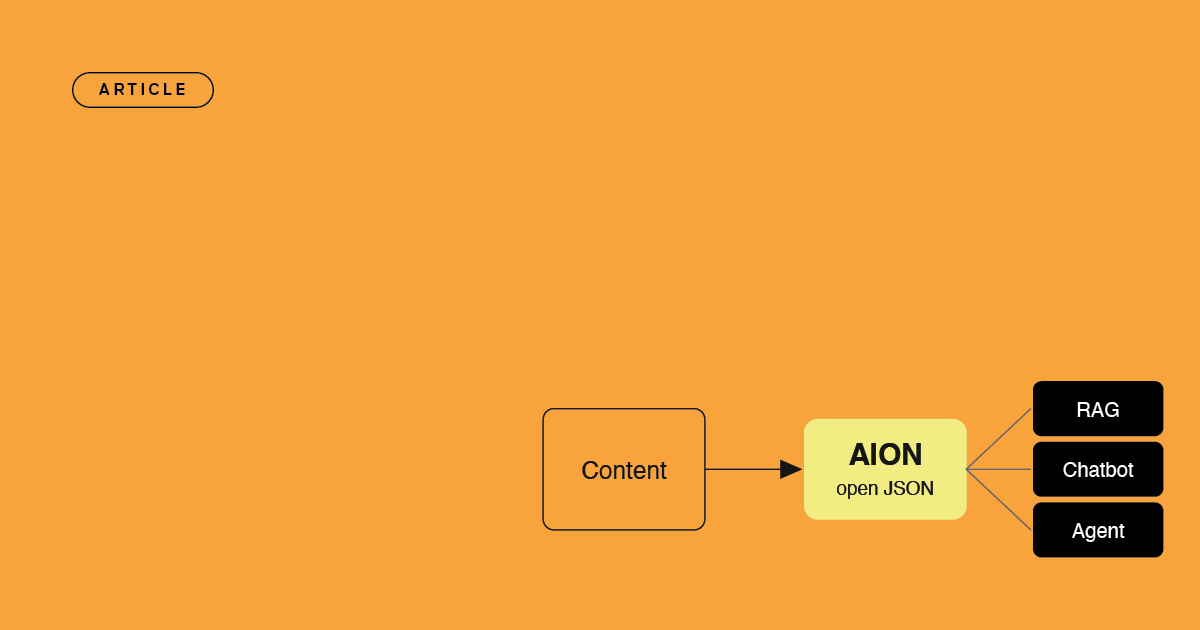
The difference between renting an AI delivery hub and owning your content as open, portable JSON that feeds any AI stack you build or buy.