Article
Why InDesign breaks down at 100+ product manuals

Summary:
InDesign is a layout tool, not a documentation management system. When a product manual library grows past 100 documents, the architectural limitations become real operational problems: duplicated content across dozens of files, no component-level version control, and every product update triggering a manual search across the entire library. A Component Content Management System (CCMS) solves this by storing content once and publishing it everywhere - so a single update flows automatically to every affected manual.
Where InDesign starts to break
InDesign is excellent at what it was designed for: laying out polished, finished documents. For a team managing a handful of product manuals, it works. You know where every file is. Updates are annoying but manageable. The output looks professional.
That calculation breaks down fast. Most manufacturing teams don't notice the tipping point until they're already past it - somewhere around 50-100 manuals, depending on how often products change and how many writers are involved.
Past that threshold, the tool's fundamental architecture starts working against you. InDesign stores content inside individual documents. There is no shared library of reusable components. The same warning, the same spec, the same safety note - duplicated in every manual that needs it.
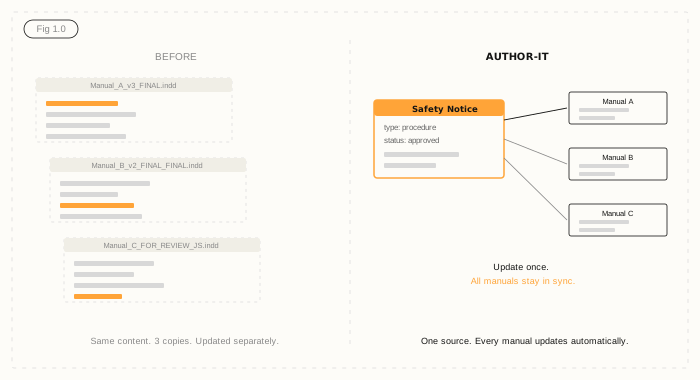
The update problem: one change, a hundred files
Here is a scenario that will sound familiar. A component specification changes. It is a small update - one measurement, one material grade. But that spec appears in 47 product manuals, across three product lines.
In InDesign, fixing that means opening 47 files. Searching for the text. Editing it. Exporting the PDF. Repeating. And hoping no one missed a reference in the appendix of manual 31.
This is not a process problem you can train your way out of. It is an architecture problem. When that content needs to change, every copy changes manually - or it does not, and you end up with inconsistencies across your product line that a regulator or a customer will eventually find.
Version control that works against you
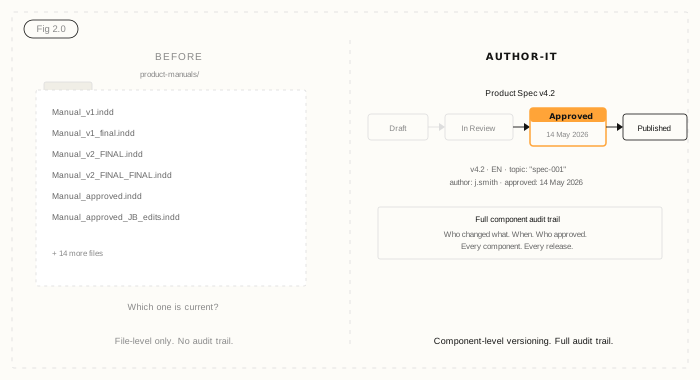
Ask any documentation team what their version control looks like in InDesign and you will get a folder with files called something like Manual_EN_v3_FINAL.indd, Manual_EN_v3_FINAL_approved.indd, and Manual_EN_v3_FOR_REVIEW_JS_edits.indd.
InDesign does not have component-level version control. Version history exists at the whole-file level - which tells you which version of the file changed, but not which piece of content changed, who approved it, or whether the updated version made it into every manual that needed it.
For manufacturing teams with ISO certification, safety documentation requirements, or multi-region compliance obligations, this matters more than a missed typo. If an auditor asks which version of a safety procedure is in the field manual - and your answer is a folder full of similarly-named INDD files - that is a risk exposure, not just an inconvenience.
Collaboration built for one writer, not a team
InDesign files can only be opened by one person at a time. On a small team with one or two writers, this is liveable. On a larger team managing 100+ manuals across product lines, it becomes a constant coordination headache.
Review workflows are awkward too. To get feedback from a subject matter expert or an engineer, they either need an InDesign licence (unlikely) or you export to PDF and manage comments in a separate tool - then manually merge those edits back into the source file. There is no native review-and-approve workflow. No audit trail of who signed off on what.
For regulated industries, that audit trail is not optional.
What single-source publishing changes
A CCMS like Author-it approaches documentation differently. Instead of storing content inside individual documents, it stores content as reusable components - Topics - in a central Library. A safety warning, a component spec, an installation procedure: each lives once, is authored once, is reviewed and approved once.
Any manual that includes that component pulls it from the Library at publish time. When the spec changes, you update the component. Every manual that references it gets the updated version automatically - no manual file-hunting, no missed copies.
This is what single-source publishing means in practice. One source, multiple outputs: PDF, HTML5, Word, and AION structured JSON for AI-powered portals and field service tools. Write once, publish everywhere.
For manufacturing teams managing documentation across multiple regions and languages, this compounds fast. Author-it's translation module only sends new or changed components for translation. If 80% of your manual content has not changed between releases, you only pay to translate the 20% that has. Organisations with high reuse rates have cut translation costs by up to 90% - see how the numbers stack up on the Author-it manufacturing page, or run your own scenario with the ROI calculator.
Is it time to move on from InDesign?
Not every team is ready for a CCMS - and InDesign genuinely works well within its limits. But if you are spending significant writer time on manual updates, if version consistency is a recurring concern, if your audit trail is a filename convention, or if translation costs are scaling linearly with content volume - those are signals the tool has hit its ceiling.
A useful starting point is the Structured Content Challenge - a quick assessment of where your content operations stand and what structured authoring would change for your team. For a deeper read on what a CCMS is and how it differs from document-based tools, this overview covers the fundamentals.
The teams that move earliest tend to be the ones that did the calculation: not just the cost of a new system, but the cost of keeping the old one.

InDesign product manuals FAQ
Q: Why does InDesign struggle with large technical documentation libraries?
A: InDesign stores content inside individual document files, with no shared component library. When the same content appears in multiple manuals, it must be duplicated and maintained separately in each file. Across 100+ manuals, every update requires manually locating and editing every copy - a process that is slow, error-prone, and impossible to audit reliably.
Q: Can InDesign handle version control for product manuals?
A: InDesign tracks versions at the whole-file level, not at the content component level. It records that a file changed, but not which piece of content changed, who approved it, or whether that change was applied consistently across every manual in the library. For regulated industries, this is not sufficient version control.
Q: What is the alternative to InDesign for managing large volumes of product manuals?
A: A Component Content Management System (CCMS) stores content as reusable components in a central library. Instead of maintaining the same content in 100 files, you maintain it once and publish it to every document that needs it. When a component changes, all manuals referencing it update automatically. This is called single-source publishing.
Q: How many product manuals is too many for InDesign?
A: There is no fixed threshold, but most documentation teams experience significant inefficiency around 50-100 manuals - especially when products change frequently, multiple writers are involved, or content is published across multiple languages. The tipping point is usually a product update that requires touching every manual in the library.
Q: Does switching from InDesign to a CCMS require DITA or XML expertise?
A: Not with all CCMS platforms. Author-it uses structured authoring without requiring DITA or XML expertise. Writers work in a familiar authoring environment while the system manages component structure, reuse relationships, and publishing rules in the background.
Q: How does a CCMS reduce translation costs for product manuals?
A: In a CCMS, only new or changed content components are sent for translation. Unchanged components are reused from the previous translation cycle. For manufacturing teams with high content reuse rates, this can reduce translation spend by 30-90% compared to translating full document files after every product update.
Q: What is single-source publishing?
A: Single-source publishing means writing content once and publishing it to multiple outputs - PDF, HTML, eLearning, AI-ready JSON - from one source without rewriting. A change in the source component flows automatically to every output format and every document referencing that component.
Published on:
Author:
June 5, 2026
Jamie Simmonds
Documentation Manager
Related Resources
Article
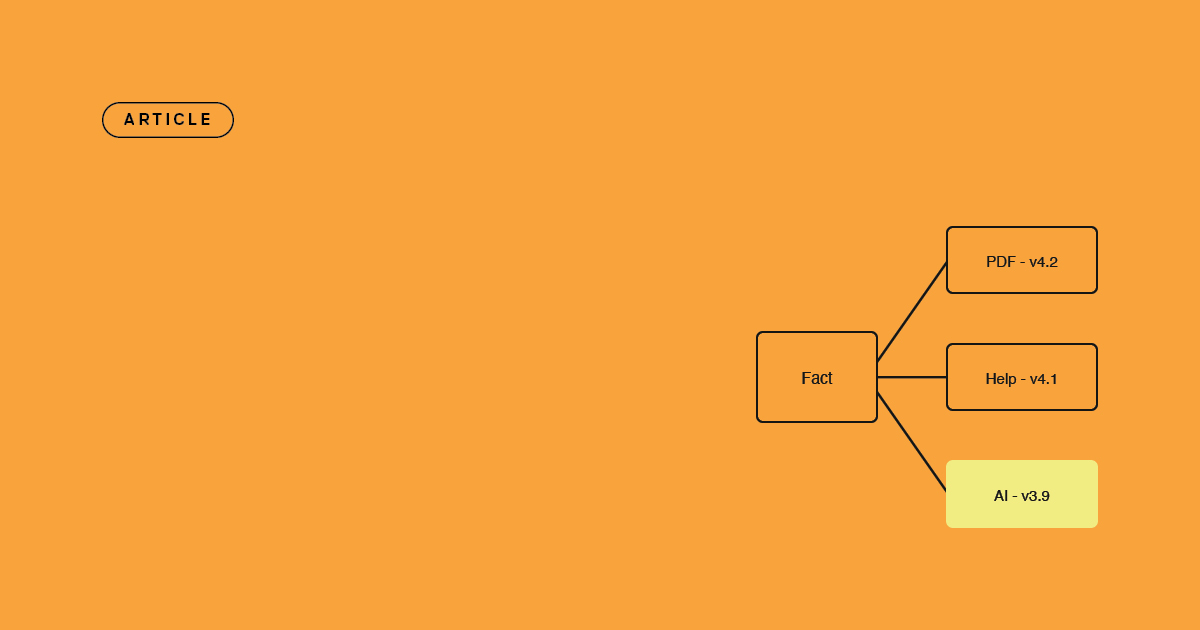
Content drift: what it is and how to prevent it
Why your PDF, help centre, and AI assistant give different answers - and how single-sourcing prevents content drift for good.

Article
Content lock-in: the exit tax nobody budgets for
The cost of leaving a content platform rarely makes the business case - until you try to switch. Here is the exit tax, and how open output removes it.
Article
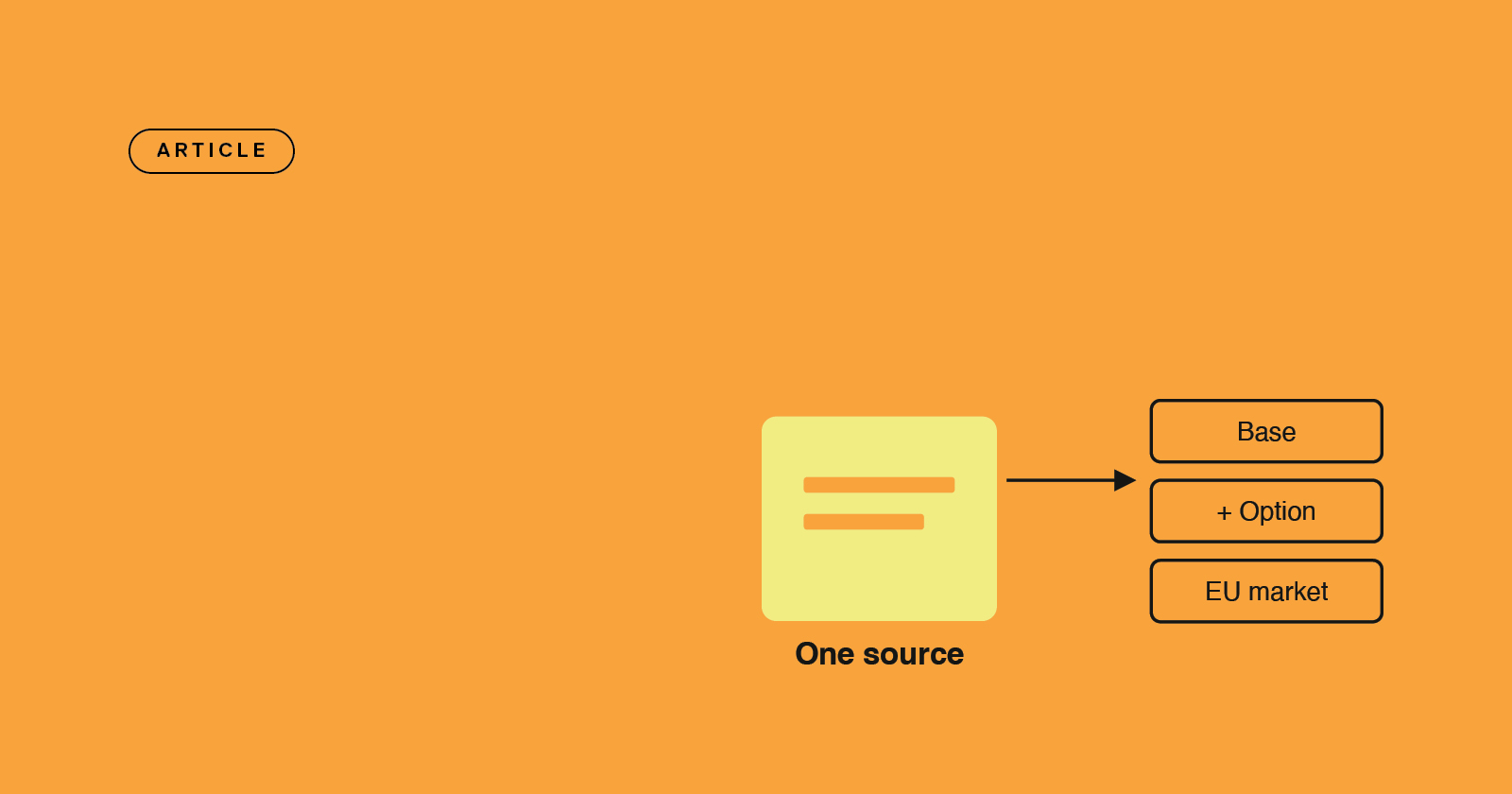
Managing spare parts catalogs across variants
Options, revisions, and regional variants multiply parts lists and service manuals fast - here's how to maintain them all from a single source.